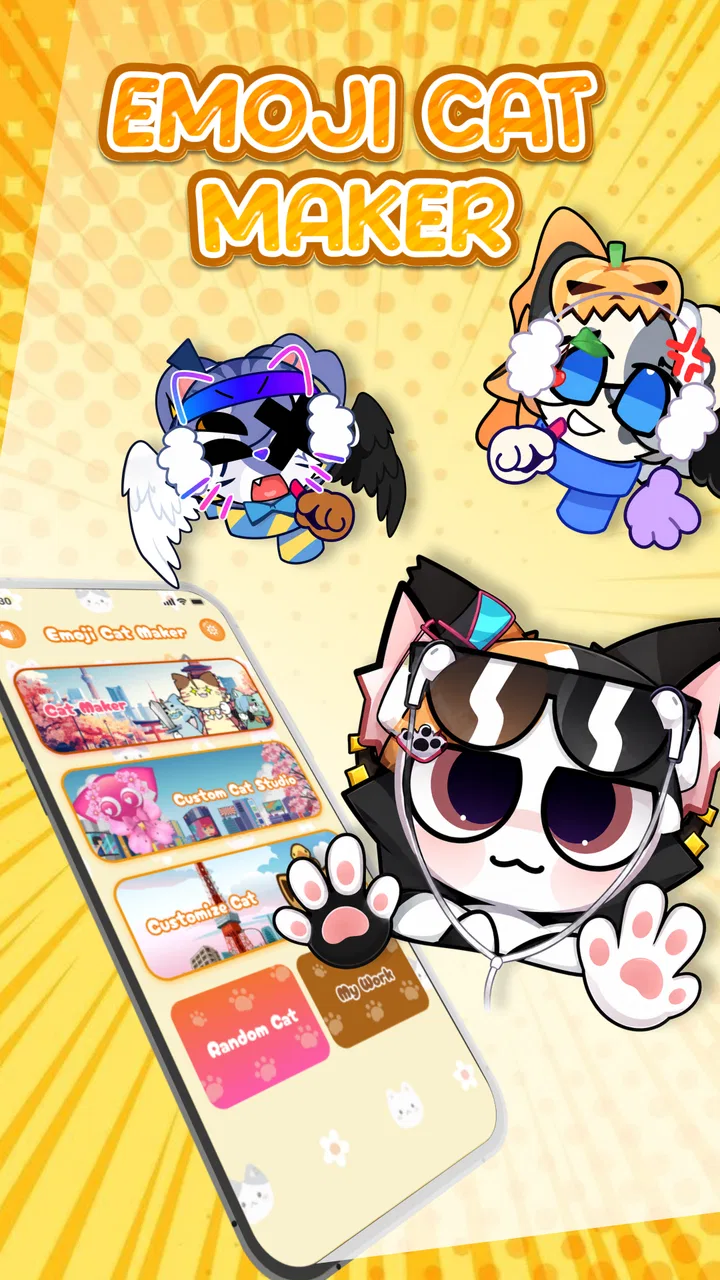
Emoji Cat Maker: Cat Stickers
- 4.0
- Rating
- 1.00M
- Installs
- Free
- Price

 Analysis by App-foxy
I installed Emoji Cat Maker: Cat Stickers because I wanted a quicker way to turn a simple cat idea into something I could actually send in a chat. The app sits in the personalization category, and its appeal is easy to understand: instead of searching through a large sticker library, I can make a small, playful cat graphic that feels more personal. That difference matters when the message is specific, such as reacting to a friend’s photo, celebrating a small win, or answering with a mood that ordinary emoji do not quite capture.
My first impression was that this is a focused tool rather than a complete messaging companion. It is free, aimed at Everyone, and developed by MegaMod Studio. The current release is version 1.2.6, and it works on devices running Android 7.0 or later. Those details make it accessible for people using older Android phones, although the actual experience still depends on how smoothly your device handles image creation and sharing.
The app has reached over 500 thousand installs and holds a 4.0 average from around 1.3 thousand ratings, with 53 written reviews. I read those numbers as a sign of steady interest rather than proof that it will suit every sticker habit. The real question is whether you want to create a custom cat expression from scratch or whether you would be happier with a ready-made sticker keyboard.
You May Also Like

 Blood Strike: 2.5 Anniversary
Blood Strike’s Loadouts Turn Every Drop Into a Tactical Gamble
A close look at Blood Strike’s custom loadouts: how fast access to signature weapons reshapes its battle royale rhythm, rewards preparation, and narrows the gap between fights.

 Pandora - Music & Podcasts
Pandora’s Music Is Easy to Start, but Harder to Recover
Pandora’s strength is its low-effort path from a seed to a station. Its weak spot is how much confidence it asks you to place in connection, setup, and quiet recovery.

 8 Ball Pool
 Is Built on Rivalries, Rematches, and Routine
A close look at the rivalries, rematches, shared routines, and unanswered safety questions that turn a quick pool match into a persistent mobile community.

 Samsung Music
’s Quiet Strength Is Playing What You Already Own
Its reach comes less from spectacle than from dependable access to a personal library. That simplicity is both the app’s strongest retention engine and its ceiling.

 AccuWeather: Weather Radar
AccuWeather Review: A Quick, Clear Forecast for Everyday Decisions
For everyday plans, the best forecast is the one you can understand quickly. AccuWeather makes rain timing, radar, and local conditions easy to act on, with a few trade-offs.

 Hill Climb Racing
Why Hill Climb Racing Still Turns Crashes Into One More Run
A tiny car, a bumpy hill and one more upgrade: Hill Climb Racing keeps resurfacing because its simple chaos makes every near-miss feel personal.
More From Our News Desk



From a vague idea to a usable cat sticker
I find that the most useful way to judge the creative flow is by how quickly I can turn a feeling into a sticker that reads clearly at chat size. A short plan—choose the mood, keep the visual message simple, then inspect the result—helps avoid spending time polishing details that disappear on a phone screen. That also sets up a closer look at what happens when I make several designs in one sitting.
The starting condition: when ordinary emoji feel too limited
The most useful way to approach this app is to begin with a clear situation. Imagine that a friend sends you a message saying they finally finished a difficult task. You could reply with a thumbs-up, a laughing face, or a standard cat emoji, but none of those quite communicates the cheerful, slightly silly tone you want. This is where a custom cat sticker can work better: it gives the response a visual personality without requiring a long explanation.
I also found the app more appealing for people who enjoy building a small collection around recurring conversations. A cat with a particular expression can become your answer for “I understand,” “I am tired,” or “please send help.” The value is not only in making one image. It is in creating a set of reactions that feels recognizably yours.
That said, I would not open it expecting a general graphic-design workspace. The store description positions it around cute, fun, shareable cat stickers, and that narrow purpose is important. If your goal is to edit photographs, create polished illustrations, or design promotional graphics, this is the wrong starting point. Its strength comes from reducing the task to a playful sticker-making session.
Building the sticker: keep the idea simple before you start
I get better results when I decide on the emotion first instead of tapping through options without a plan. “Sleepy cat after a long day” is more useful than “make something cute.” A defined mood helps me choose a face, visual details, and wording that belong together. It also prevents the finished sticker from becoming a crowded collection of unrelated decorations.
A practical workflow is to make the expression carry most of the meaning, then add only the detail that supports it. For example, a tired face may need no extra message, while a celebratory cat can benefit from a short phrase. The smaller the sticker will appear in a chat, the more important this becomes. Fine details that look charming while creating may disappear once the image is reduced on a phone screen.
One useful habit is to test the sticker at the size where you will actually view it. I do not judge it only on the creation screen. I imagine it among several chat bubbles, where a tiny face and a short visual cue need to be understood quickly. This is a non-obvious trade-off: adding more decoration can make the creation process feel richer, but it can make the shared result less readable.
The step-by-step flow: create, inspect, and prepare to share
The experience is easiest to manage when I treat it as three separate stages. First comes the creative decision: what should the cat communicate? Second is the inspection stage: does the image look clear and balanced? Third is the handoff: where will I send it, and will that destination treat it as a sticker, an image, or an attachment?
During creation, I look for a visual combination that works even without a caption. This matters because the app’s purpose is not merely to produce a decorative picture. The cat should have a recognizable reaction. A surprised face, a pleased expression, or a deliberately silly pose can make the result useful in conversation.
Before sharing, I pause and check the edges, text, and overall contrast. A sticker that looks fine against the app’s background may be less effective against a dark chat theme or a busy conversation. I also avoid placing important details too close to the outer edge, because the image may be displayed with spacing or a different background in the receiving app.
The best workflow is to design for the receiving chat, not just for the editor. That single change improved my results more than trying to make every sticker elaborate. I think about whether the recipient will understand it instantly, whether the message is readable, and whether the image still looks pleasant when viewed alongside normal messages.
Choosing between speed and personality
There is a natural tension in this kind of app. The faster I make a sticker, the more likely it is to feel like a quick variation on a familiar template. The more time I spend refining it, the more personal it can become, but the less convenient it is for an immediate reply. For everyday chats, I usually favor a clear expression and one memorable detail over a highly decorated design.
This makes the app particularly suitable for preparing stickers before a conversation rather than interrupting a fast exchange every time. If I know a group chat often needs certain reactions, I can create those in a calmer moment and keep them ready for later sharing. That turns the app from a novelty into a small personalization routine.
It also helps to create variations with different emotional intensity. A mildly amused cat is more versatile than a cat that looks wildly excited, while an exaggerated reaction can be perfect for a special moment. Thinking in pairs or small groups gives the collection more practical range than making several stickers that all express the same mood.
The first handoff: moving the result into a conversation
Creating the image is only half the job. The next step is getting it from the app into the place where the conversation is happening. This handoff is where expectations can differ. A person may think “sticker” means an item that becomes part of a messaging app’s permanent sticker tray, while the receiving service may handle the result as a normal image or shared file.
For that reason, I recommend checking the destination after the first share. Look at how the image appears in the message, whether its background remains attractive, and whether the recipient can view it without taking an extra step. A successful handoff is not just “the image left the creator.” It is “the image arrived in a form that still communicates the intended reaction.”
This is also the point where I would set expectations for less technical users. The app can help create the cat artwork, but the final behavior belongs partly to the messaging service. Some conversations make image sharing feel almost identical to using a sticker. Others may show it as a regular attachment. If permanent sticker-pack integration is essential to you, a dedicated sticker-keyboard app may be a better fit.
I like to send a test to myself or to a quiet chat before using a new design in an important conversation. That small check catches awkward cropping, unreadable text, or a result that feels too large for the message. It is a simple workflow improvement, especially when the sticker is meant for a group where several people use different phones and chat settings.
The second handoff: from personal creation to shared language
Once a few stickers are in circulation, they can take on meaning inside a group. A particular cat may become shorthand for a recurring joke or a familiar response. This is where custom creation has an advantage over generic emoji: the image can reflect the tone of the people using it.
However, a private joke is not automatically a useful sticker. I try to keep the most important designs understandable without a long explanation. For a close friend, an intentionally strange cat can be perfect. For a family group or a larger chat, a clearer expression usually travels better. The right level of specificity depends on the audience, not just on what looks amusing during creation.
Another practical tip is to name or mentally organize designs by purpose rather than by appearance. “Apology,” “late reply,” and “celebration” are easier categories to remember than “blue cat” or “funny face.” The app is most useful when I can move from a conversational need to a suitable image quickly. A beautiful collection that I cannot navigate mentally is less valuable than a smaller collection with clear roles.
The result: where the app earns its place
When the workflow goes well, the result feels more expressive than a standard emoji and less demanding than writing a full explanation. I can answer a message with a cat that carries both emotion and tone. That is especially effective in casual conversations, where a playful image can soften a short reply or make a simple acknowledgment feel warmer.
The app also works well for people who enjoy visual consistency. Someone might prefer a particular cat style, a recurring mood, or a collection that reflects their sense of humor. Instead of relying on whatever a platform happens to provide, I can make reactions that feel closer to my own communication habits.
For younger users and families, the Everyone age rating makes the concept easy to recommend from a content standpoint. I would still encourage parents to focus on the sharing destination and general device habits, because the app’s creations may eventually be sent through other services with their own environments. The creative tool itself is approachable, but the wider conversation context remains important.
The free price is another reason to try it casually. I can experiment without treating the first attempt as a serious purchase decision. That lowers the barrier for someone who is curious about custom stickers but does not yet know whether they will actually use them. The trade-off is that free creative tools may feel narrower than specialized paid design software, so expectations should remain centered on quick cat personalization.
Where the flow breaks: limitations I noticed in practice
The biggest limitation is the distance between making a sticker and using it as a fully integrated sticker. If your preferred messenger supports a dedicated sticker library and you want every creation to appear there automatically, this app may add an extra step. The sharing handoff can still be useful, but it is not the same as having a permanent button beside your emoji.
Another point of friction is repetition. The first few creations feel fresh because the idea itself is entertaining. After that, the value depends on whether you have a real reason to keep making new cat reactions. People who rarely send images may use the app once and return to ordinary emoji. People who enjoy expressive chat may find that the same narrow theme encourages them to build a surprisingly useful personal set.
I would also skip it if you need precise control over typography, layered artwork, or professional export options. The app’s charm comes from accessible cat-focused creation, not from replacing a full illustration editor. Trying to force it into a professional design workflow would make the simple process feel restrictive.
There is a subtler limitation in the word “cute.” A cute style is not equally suitable for every message. It works naturally for encouragement, jokes, affection, and light apologies. It may feel out of place in a serious work conversation or when the subject requires clarity rather than playfulness. I choose the recipient and situation before choosing the sticker, not the other way around.
Who should use it, and who should choose an alternative
I recommend Emoji Cat Maker: Cat Stickers to Android users who want personal reactions without learning a complex editor. It is a good match for cat lovers, people who enjoy customizing chats, and anyone who regularly communicates through playful images. It is also useful for someone who wants to prepare a small set of reactions for friends or family instead of repeatedly searching through generic sticker packs.
I would point a different direction for users whose priority is speed above all else. A built-in emoji panel or established sticker keyboard usually wins when the goal is to send a reaction in one or two taps. Those tools offer broader subject coverage and less preparation. This app wins when personal authorship matters more than instant access.
I would also choose a broader image editor for users who want to work with photographs, detailed scenes, or non-cat characters. The focused theme is both the reason to install it and the reason some people will outgrow it. It does not try to cover every kind of personalization, and that is better understood as a boundary than as a defect.
My practical routine for getting more from the app
I would begin with a small set rather than trying to create a huge collection. Make one neutral reaction, one positive reaction, one tired or overwhelmed reaction, and one deliberately funny option. This gives enough coverage to test whether the app fits your conversations without turning the process into a project.
Next, I would share each design in a low-pressure chat and observe how it reads at normal message size. If the expression is unclear, simplify it. If the text is too small, shorten it. If the image only works when viewed alone, remove visual clutter. These adjustments are more valuable than adding another decorative element.
Finally, I would keep the most reusable designs separate in my own mental shortlist. The point is not to make every possible cat. The point is to have a few that solve real communication problems: acknowledging a message, showing enthusiasm, expressing mild embarrassment, or making a routine exchange more personal.
My final recommendation
After using it as a small creation-and-sharing tool, I see Emoji Cat Maker: Cat Stickers as a pleasant option for people who want their chats to feel less generic. Its focused cat theme makes the process approachable, and the free download makes experimentation easy. I especially like it when I have a specific mood in mind and want a visual response that standard emoji cannot provide.
Its main weakness is the handoff between the creator and the messaging app. Depending on how you expect stickers to work, you may find the sharing process perfectly convenient or one step too manual. I would not install it for professional graphics or instant access to a massive ready-made library. I would install it for a personal collection of expressive cat reactions that I can create, refine, and send when a normal emoji feels too ordinary.
For the right user, that is enough. The app does not need to be a complete design studio to be useful. It simply needs to turn a small idea into a cat with the right expression, then make that expression easy enough to pass into everyday conversation.
FAQs for Emoji Cat Maker: Cat Stickers
01What is Emoji Cat Maker: Cat Stickers?
Emoji Cat Maker: Cat Stickers is a creative app that allows users to design personalized cat-themed emojis and stickers. It features a variety of customization options, enabling users to modify expressions, accessories, and colors to create unique feline emojis that can be shared across different messaging platforms.
02Is Emoji Cat Maker: Cat Stickers free to use?
The app is free to download and offers a range of basic features at no cost. However, it includes in-app purchases for additional customization options and premium sticker packs. Users can choose to enhance their experience by purchasing these extras, but they are not necessary for basic functionality.
03How user-friendly is Emoji Cat Maker: Cat Stickers?
Emoji Cat Maker: Cat Stickers is designed with an intuitive interface, making it easy for users of all ages to navigate. The app provides simple drag-and-drop tools for creating and customizing cat emojis, ensuring a seamless user experience even for those who may not be tech-savvy.
04Can I share my creations from Emoji Cat Maker: Cat Stickers on social media?
Yes, the app allows you to easily share your customized cat emojis and stickers on various social media platforms and messaging apps. Once you've created your design, you can export it directly to apps like WhatsApp, Instagram, and Facebook, making it convenient to share your creativity with friends.
05Does Emoji Cat Maker: Cat Stickers require an internet connection?
Emoji Cat Maker: Cat Stickers does not require an internet connection for basic use, allowing you to create and customize emojis offline. However, an internet connection is necessary to access additional features like downloading new sticker packs or sharing creations on social media platforms.
Pros
- Customizable cat designs for unique stickers.
- User-friendly interface for easy navigation.
- Variety of accessories to personalize cats.
- High-quality graphics enhance sticker appeal.
- Regular updates with new features and items.
Cons
- Limited free content; many items require purchase.
- Occasional ads can disrupt user experience.
- No option to export stickers to other apps.
- Lacks multi-language support for global users.
- Some features require stable internet connection.

Emoji Cat Maker: Cat Stickers
Gallery